Beneficiary Verification
Regulators in the United Kingdom (UK) and European Union (EU) now require payee name checks to ensure that beneficiary details are accurate and match the associated bank account information before a payment is processed. To support these requirements, we’ve enabled Confirmation of Payee (CoP) and Verification of Payee (VoP) screening in our beneficiary creation and approval workflows for GBP and EUR payments.
Before you submit the beneficiary details for payment, the beneficiary name, account number, and account type (for CoP only) are checked against the payee's bank account. You can review the screening results and fix any issues before submitting.
- CoP checks are required for all GBP payments sent to UK banks. This applies to payments processed through FPS, BACs, and CHAPS for both incoming and outgoing payments.
- VoP checks are required for all EUR payments (Wire and SEPA) initiated by IE division clients and their branches through SEPA CT and SEPA Instant eligible BICs schemes.
Important:
- CoP and VoP are regulatory mandates, not optional services. These checks are enforced at the regulatory level, and no exceptions are permitted. Please contact your account representative or email our support team for assistance.
- If you choose to proceed without updating the template, you confirm you wish to proceed at your own risk and accept responsibility for the information provided. Payments sent using incorrect details may be delayed, misdirected, or not recoverable.
Beneficiary Creation or Update
When you create or update a beneficiary template in Corpay Cross-Border:
-
The system will automatically perform a check to confirm that the details match the bank's records before the template is created and submitted for approval. If the screening returns a Close match or No match, you can review and make the corrections yourself.
-
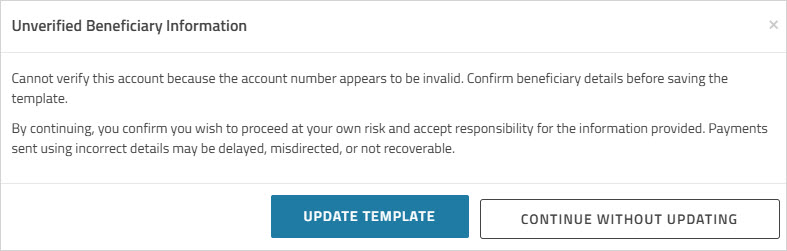
On clicking , if no match is found
-
The dialog appears. Click to review and correct the beneficiary information, then save the template.
-
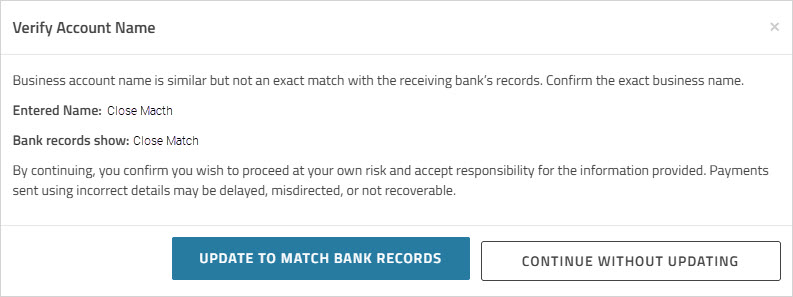
If a close match is found, the suggested match will be displayed in the dialog. Click to automatically update the beneficiary template with the verified information, then save the template.
-
If you choose to continue without updating, you accept responsibility for the accuracy of the beneficiary details and acknowledge any associated payment risks.
-
If beneficiary approval workflow is configured for your account, and you submit the template without corrections, any payee verification errors will be sent to the approver for review.
-
Beneficiary Approval
When a template is submitted for approval, the approver can review the beneficiary screening results before approving or rejecting the template. The approval modal displays any verification errors and suggested match (if available). 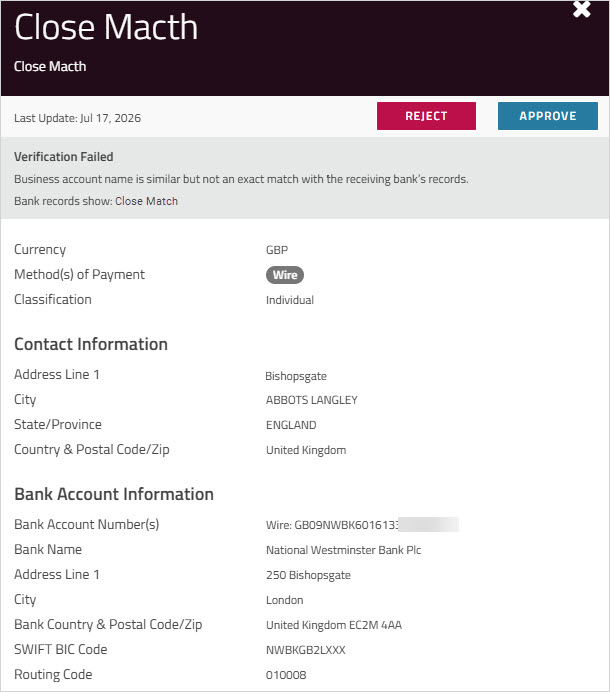
If the approver chooses to approve a template that has failed verification, a warning dialog will appear to confirm that they accept responsibility for the accuracy of the beneficiary information and acknowledge any associated payment risks. 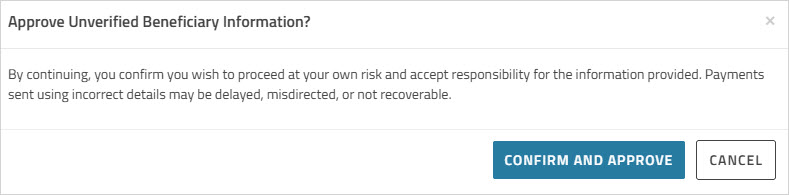
For more information, see Approving or rejecting a beneficiary.